
I’ve recently been experimenting with AI, admittedly I’m a bit late to the party. I think that can be explained by a healthy dose of scepticism derived from limited personal experience of the technology and mostly from anecdotal evidence and tails of woe in the technical press.
So if you were hoping to gain some deep insight into the nature of AI or learn how we use AI in our everyday work, here at Antelope IT, then sadly this isn’t the blog post you are looking for.
If on the other hand, you are curious about AI and are wondering how to get started with it, then this post might be just as good a place to start as any. The aim for this series of bog posts is to document our faltering first steps into AI and in the process, hopefully, inspire you and imbue you with the confidence to try it out for yourself.
Initially my only experience with AI was with “AI Mode” in the browser. Most browsers have some sort of AI mode where instead of entering some search terms into a search window to retrieve a list of articles and links to read you click on a button or link to switch to “AI Mode” and enter the question you want answered and the AI searches through the internet and composes an answer from the responses it has found.
My experience with this type of AI technology has tended to be a bit hit and miss; sometimes it works and sometimes it doesn’t. When it hasn’t worked it has been because it has got the wrong end of stick and answered the question that was never asked, or it has answered with out-of-date facts, or for a different legal jurisdiction e.g. the US tax regime instead of the UK tax regime. Rarely has it replied “I don’t know…” but the one thing I’ve not knowingly experienced is the infamous AI hallucination where it just makes things up.
In retrospect, these failures appear to have a common thread, one way or another they stem from a poorly constructed question or prompt. The prompt or question asked wasn’t specific enough or didn’t provide enough context. And in a way this reminds me of the old computer idiom “garbage in, garbage out”. In order to get the right answer you have to ask the right question. Perhaps this new technology isn’t so magical after all.
Inspired by a recent vibe coding demo where in the space of a weekend a developer using AI had generated a company branding document including visual assets, company website, project plan and SaaS product website with production quality architecture and backing database, I resolved to investigate AI and its possible applications further. I was still sceptical regards AI in general; the vibe coded website, as developed, wasn’t without bugs. I was also concerned about the seemingly opaque billing model which appears to follow the following path.
- Hand over credit card details.
- Receive periodic allocations of magic beans.
- Magic happens.
- Beans consumed at opaque rate.
- Beans run out.
- Wait for new allocation or buy more Beans
- Go to 2. (rinse & repeat)
The risk here appears to be that you can easily run up a large credit card bill or chew your way through a month’s allocation of beans without being aware. Other questions regarding privacy and security concerns plagued my thoughts.
I decided that in order to understand AI better and address these concerns, I would need to experiment with it and maybe even take some online courses Given that I was in the process of building this new website a good starting point would be to try and emulate the vibe coding demo and use AI to generate a company branding pack with logo and style document, after all; what’s the worst that can happen?
My first attempt at generating a branding pack used AI Mode in Google. The AI was able to pull in a surprising amount of information about the company from which it generated positioning text, a colour scheme and typography. It also created a logo but the logo was text based and wasn’t really what I was looking for.
As part of my M365 subscription I get limited access to Microsoft Copilot and this was the AI I used for my second attempt. This time I was less ambitious and used the colour scheme and taglines from the Google output to prompt Copilot to generate just a logo. Which it did. (see below)
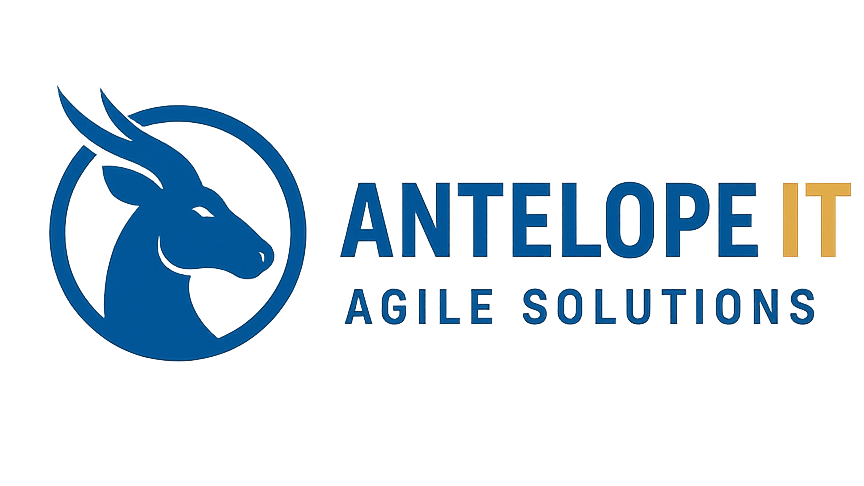
I’m not a designer or an artist in any way, but that looked okay to me, certainly better than I could have achieved alone and given that it only took two or three prompts to progress from initial generated logo, to this, I was quite pleased with the results. From memory, the initial logo had the text underneath the roundel and the colours were slightly different.
Encouraged by my success and spurred on by Copilot’s suggestions for further improvements, which promised a more professional finish to the logo and the opportunity to add a variety of assets such as templates for business cards, PowerPoint slide decks, email footers and letterheads, I vibe generated the afternoon away.
At some point in the proceedings Copilot pointed out that the logo was a raster image and would therefore suffer from pixelation when scaled. Copilot suggested that, to improve the logo further, it could convert the raster image to a vector image which would not only scale better but also look more professional. There was one caveat; some mention of it only being a simple line and shape conversion, the import of which didn’t immediately register with me. Thinking that a vector graphic image is preferable to a raster image, I accepted Copilot’s suggestion and “vibed” on.
After many iterations of the AI prompt and improve cycle, Copilot offered to create a Zip file of the assets it had created. In fact it generated two Zip files, a stationary pack and a brand pack. The stationary pack was comprised of a business card template, email signature, letterhead and PowerPoint slide deck. The brand pack was described as a “premium” brand pack, the accompanying paragraph implied that it was only a fraction short of the standard a professional designer would deliver. However, when I opened the zip file it contained only images, no brand document detailing colours or typography and when I looked at the final version of the logo, it wasn’t exactly what I was expecting. (see below)

Needless to say, I wasn’t overly impressed with the results. The stationary pack wasn’t any better, the templates were inconsistent in their branding and not something I would want or could use. In retrospect I should have paid more attention to the warning regards the conversion of the logo raster image to a vector image but even so, its hard to reconcile the final result with the near professional designer standard Copilot had led me to expect.
When I challenged Copilot on this point it responded with; “You were right to pushback and challenge me…” followed by some reason for the mistake explaining something had been lost. It did try to rectify the problem but the result was no better. When I pointed this out, Copilot suggested that a professional designer might produce a brand pack for about $70 and that it could write some instructions for the designer to follow in order to create the required assets. I declined the offer.
The overall experience of using AI has been both informative and frustrating, even a little annoying. On a positive note I do have a template for a new company logo. From a professional design point of view, I’m sure it is not perfect, but I’m content with it for now. I used GIMP to manipulate a copy of the AI raster image and converted it to a vector image using Inkscape to create a final version of the logo.
On reflection this result is probably a better outcome than if the AI had delivered what it had promised, or what I believed it promised, because I now own the finished product, in the sense that I don’t have to be precious about it; I’ve had a hand in its creation, it’s neither the product of a design agency, or just the output from an agentic AI.
I used the AI to do the things I couldn’t do, but the finished logo; conversion to vector graphics, positioning of the text, final colours and fonts, are all my fault. It’s my work I am changing, and furthermore because I did more than just prompt an AI, I have learnt the skills and have the tools to make the changes.
I’m still not sure what all the hype is about with AI, it might be useful but I’m not convinced. Perhaps, like all tools, in order to use them well, you have to learn how. So my next step is to try some online courses; the adventure continues